Download/Upload Metadata
Download/Upload Metadata lets you build package.xml from org metadata, download selected metadata as a ZIP, and deploy
a metadata ZIP back to Salesforce.
Open this module from App Menu -> Modules -> Download/Upload Metadata.
Overview
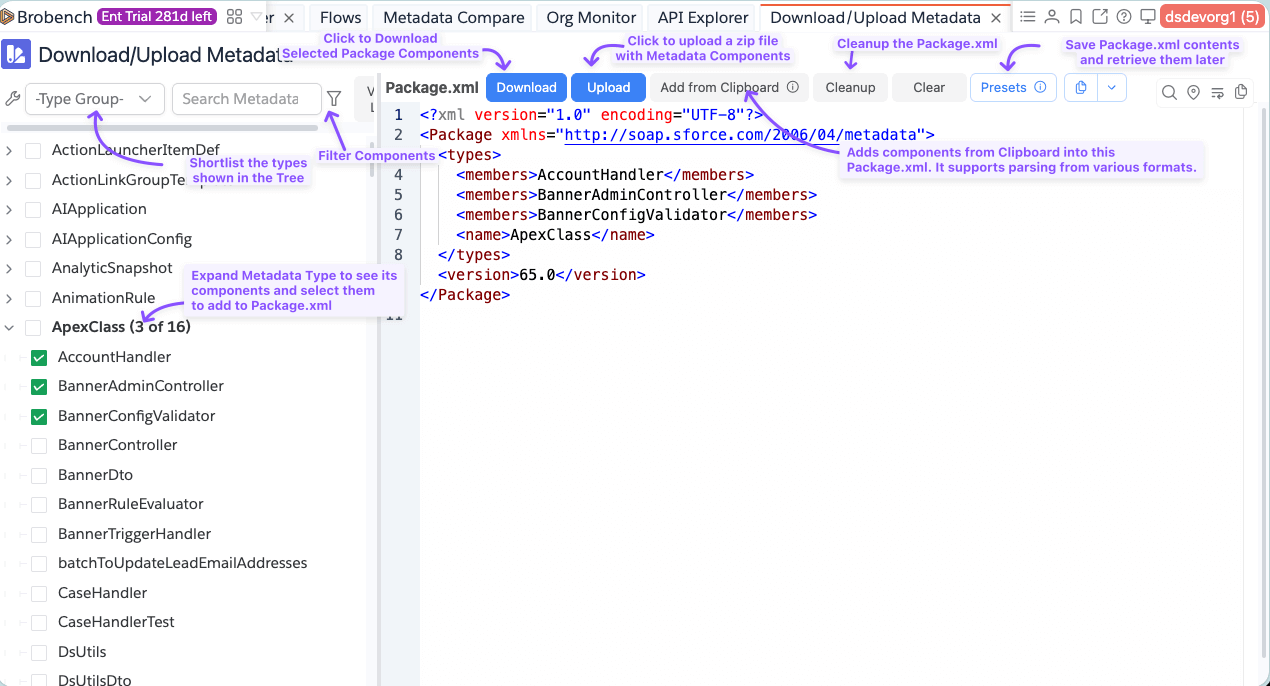
Here is overview of the tool.
The page has two main panels:
- Left: Metadata tree (types, folders, components) with search, type groups, and filters
- Right:
package.xmleditor with actions like Download, Upload, Add from Clipboard, Cleanup, and Presets
When you check items in the tree, Brobench generates package.xml automatically.
Types and Components Tree
On the left side the app it shows a Tree with Metadata Types and components.
Selecting Metadata Components
- Expand a metadata type to load its components.
- Select a type to include wildcard (
*) when that type supports wildcards. - Select specific component rows to include only those members.
- Review the generated
package.xmlon the right.
For folder-based types (for example Reports and Dashboards), first expand the folder and then select components inside it.
The components listed are sorted to show last modified components first. You can change to sort by Name in the Filter panel.
Filtering and Sorting Components
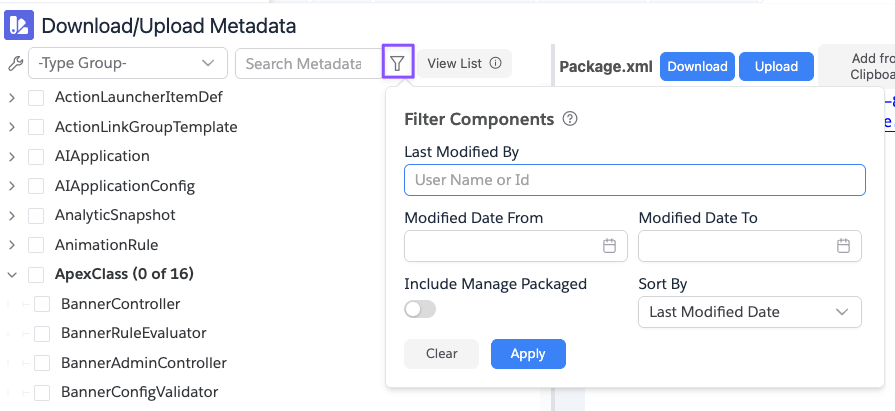
Use Filter Components to narrow fetched metadata by:
- Last Modified By (name or Id). It does "contains" search.
- Modified Date From / To
- Include Manage Packaged
- Sort By (
NameorLast Modified Date)
View List button next to filter shows all fetched components in a grid with details such as type, modified dates,
package namespace, and file name.
Type Groups
Use type groups to work with a smaller metadata subset instead of all types. Built-in groups include Code, Flow,
Object, Agentforce, and Email. You can create your own Type Groups as well as shown below.

Clicking on the Wrench icon shows the Menu items that lets you manage the Type Groups. See Type Groups for more information.

Package.xml Panel
On the right side of the tool, app shows the generated package.xml with various actions.
Download: Retrieves metadata for the currentpackage.xmland downloads a ZIP (metadata-<timestamp>.zip)Download & Browse: Downloads the package.xml contents and lets you browse the filesUpload: Opens metadata deploy dialog for ZIP deployment. See Upload Metadata for more info.Add from Clipboard: Merges clipboard content into currentpackage.xmlSupported clipboard formats:package.xml, JSON, CSV (Type,Component), and text blocks (Type, then--or==, then members)Cleanup: Parses, deduplicates, sorts, and rewritespackage.xmlClear: Clears selections and resets to an emptypackage.xmlwith org API versionPresets: Save/loadpackage.xmlpresets for reuseCopy: Copy asPackage.xml, Text, CSV, Markdown, or JSON
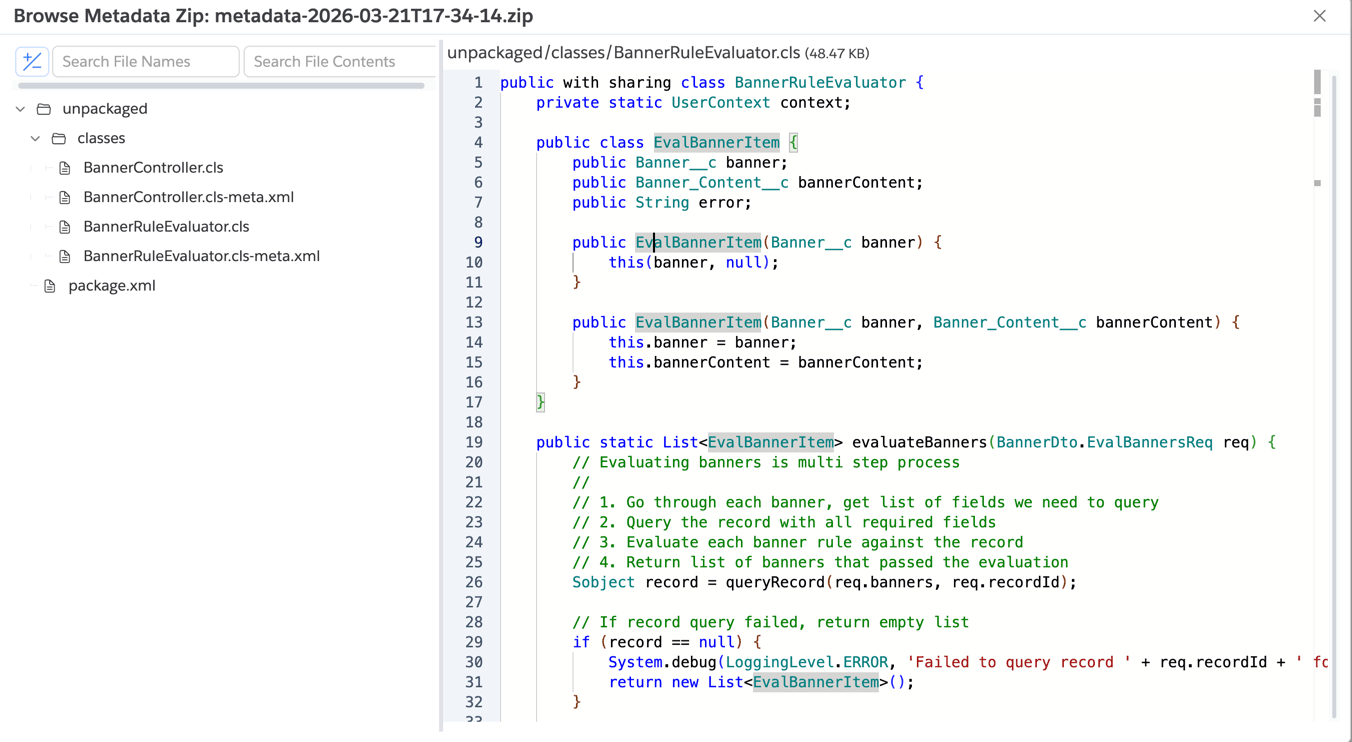
Download & Browse
Clicking on the Download & Browse, app will download the metadata components listed in the package.xml and shows the
below dialog with files so you can easily browse and search within files.
Notes
- Component lists are loaded lazily as you expand nodes.
- If no types/components are selected,
package.xmlstays minimal with only the API version. Add from Clipboardmerges into currentpackage.xmlinstead of replacing it.