Automations
Automations tab gives you a consolidated view of object-level automations in Salesforce, arranged in execution order so you can quickly understand what runs and when.
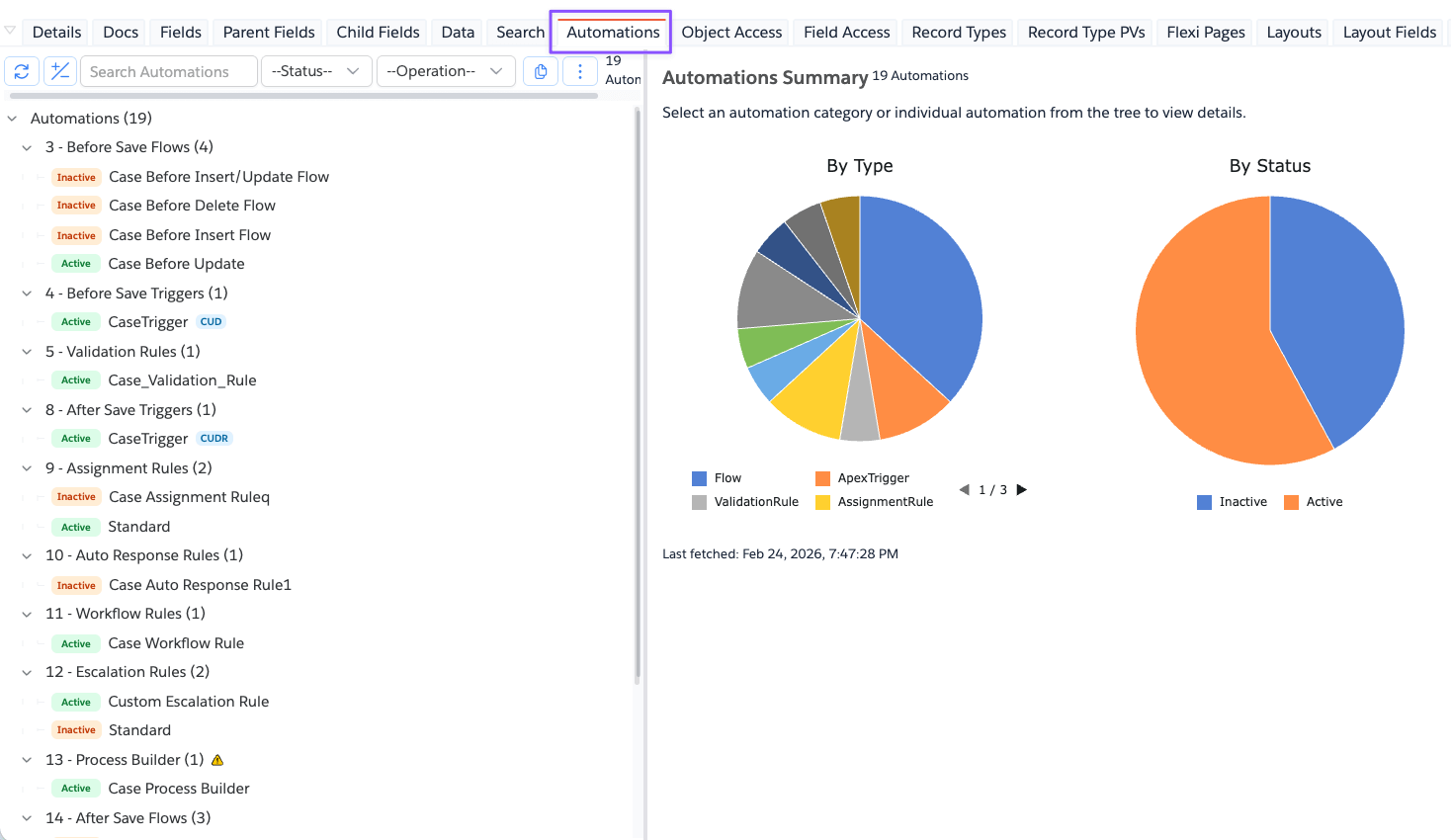
To access this, open any of the Objects and click on the Automations tab.
What It Shows
The left panel shows automation categories in execution order and matching items under each category.
Examples of categories include:
- Before Save Flows
- Before Save Triggers
- Validation Rules
- Duplicate Rules
- After Save Triggers
- Assignment Rules
- Auto Response Rules
- Workflow Rules
- Escalation Rules
- Process Builder
- After Save Flows
- Entitlement Processes (Case)
- Criteria Based Sharing Rules
The right panel changes based on selection:
- No selection: summary view with totals/charts.
- Category selected: category list view.
- Item selected: detailed item view.
Filters and Actions
Available controls in the tree toolbar:
- Search automations
- Status filter (
Active/Inactive) - Operation filter (
Insert,Update,Delete,Undelete) - Refresh automations
- Expand/Collapse tree
- Copy menu:
Copy as TreeCopy as CSV
- More actions:
- Order of Execution documentation links
Useful Notes
Operationfilter applies mainly to record-triggered Flows and Apex Triggers.- Some categories are object-specific (for example, Entitlement Processes for
Case). - If one or more API fetches fail, warnings are shown; partial data may still be displayed.