GraphQL Explorer
GraphQL Explorer lets you send Salesforce GraphQL queries and mutations without leaving Brobench. Use it to explore related data, test request variables, inspect API responses, and convert supported queries between SOQL and GraphQL.

How to Launch
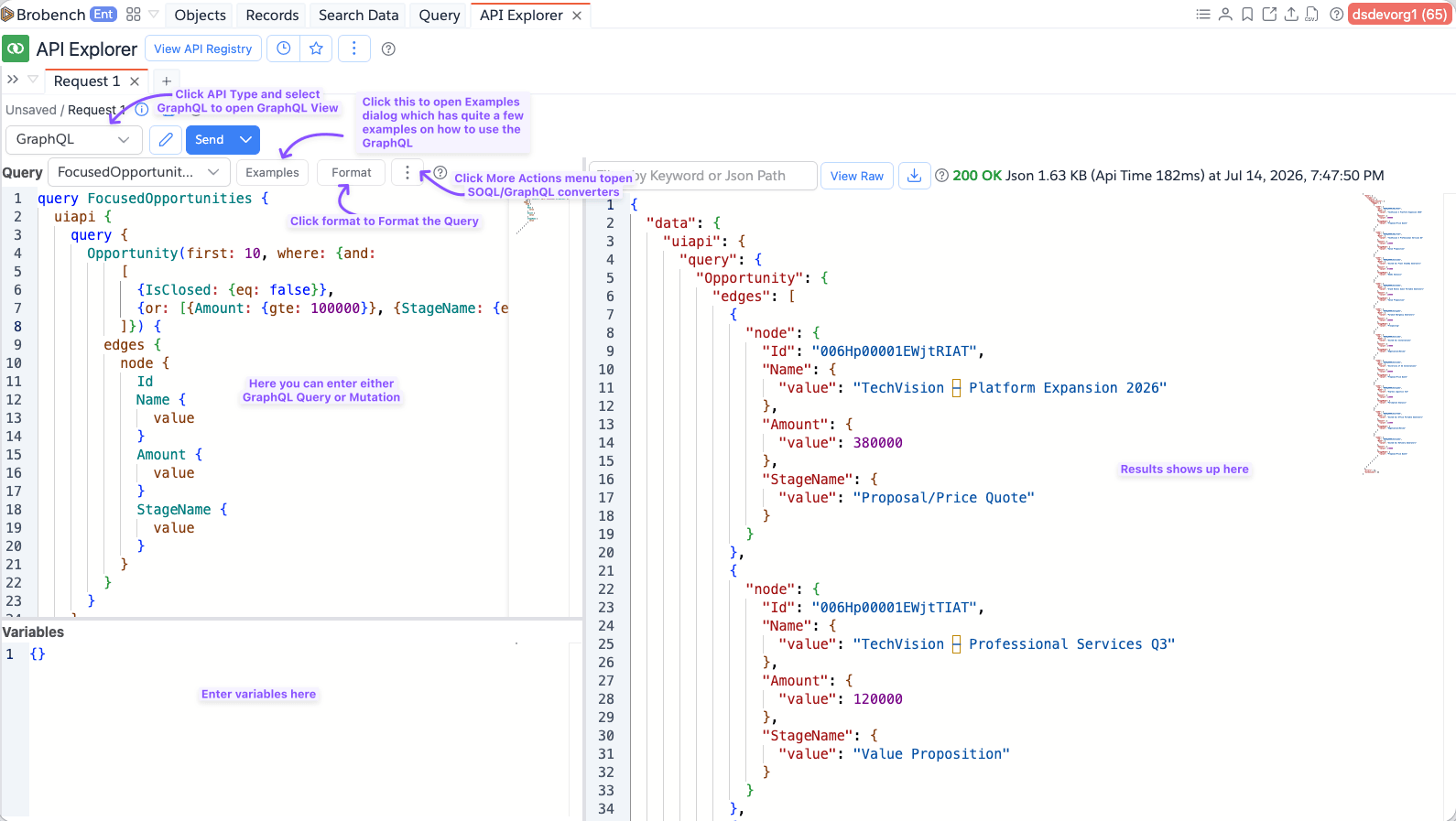
Open App Menu -> Tools -> API Explorer, create or open a request, and select GraphQL from the request type list.
Run a GraphQL request
- Enter a GraphQL query or mutation in the Query editor.
- Enter variable values as JSON in the Variables editor when your operation declares variables.
- If the document has more than one named operation, select the operation in the Operation name list.
- Click Send to run the request and inspect the response in the right pane.
The editor offers Salesforce GraphQL schema autocomplete and GraphQL formatting. Press Ctrl+Space if suggestions do
not open automatically.
Start with an example
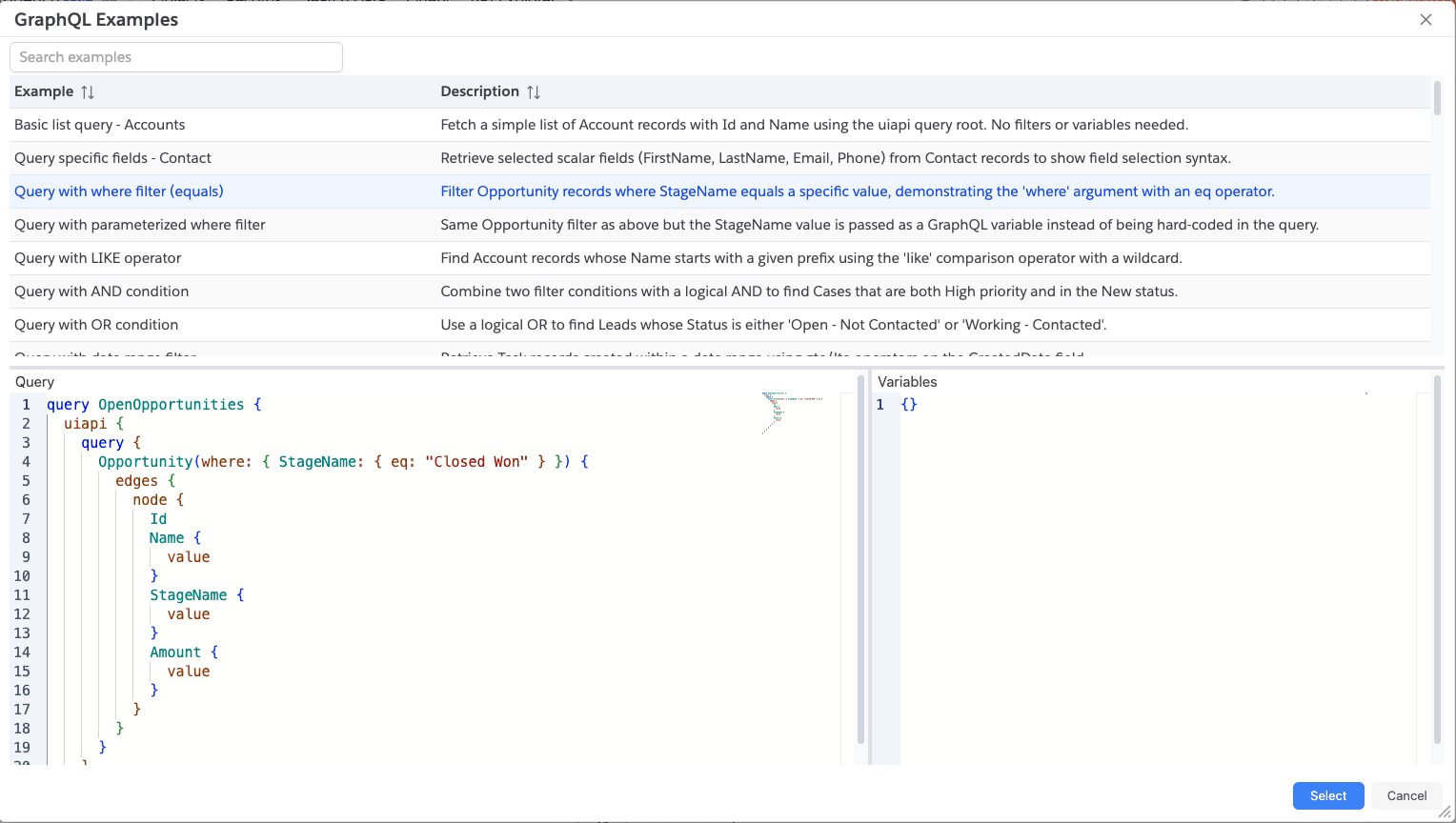
Select Examples to browse ready-made Salesforce GraphQL queries and mutations. Search the examples, select one to preview its query and variables, then click Select to load it into the explorer.
Convert SOQL and GraphQL
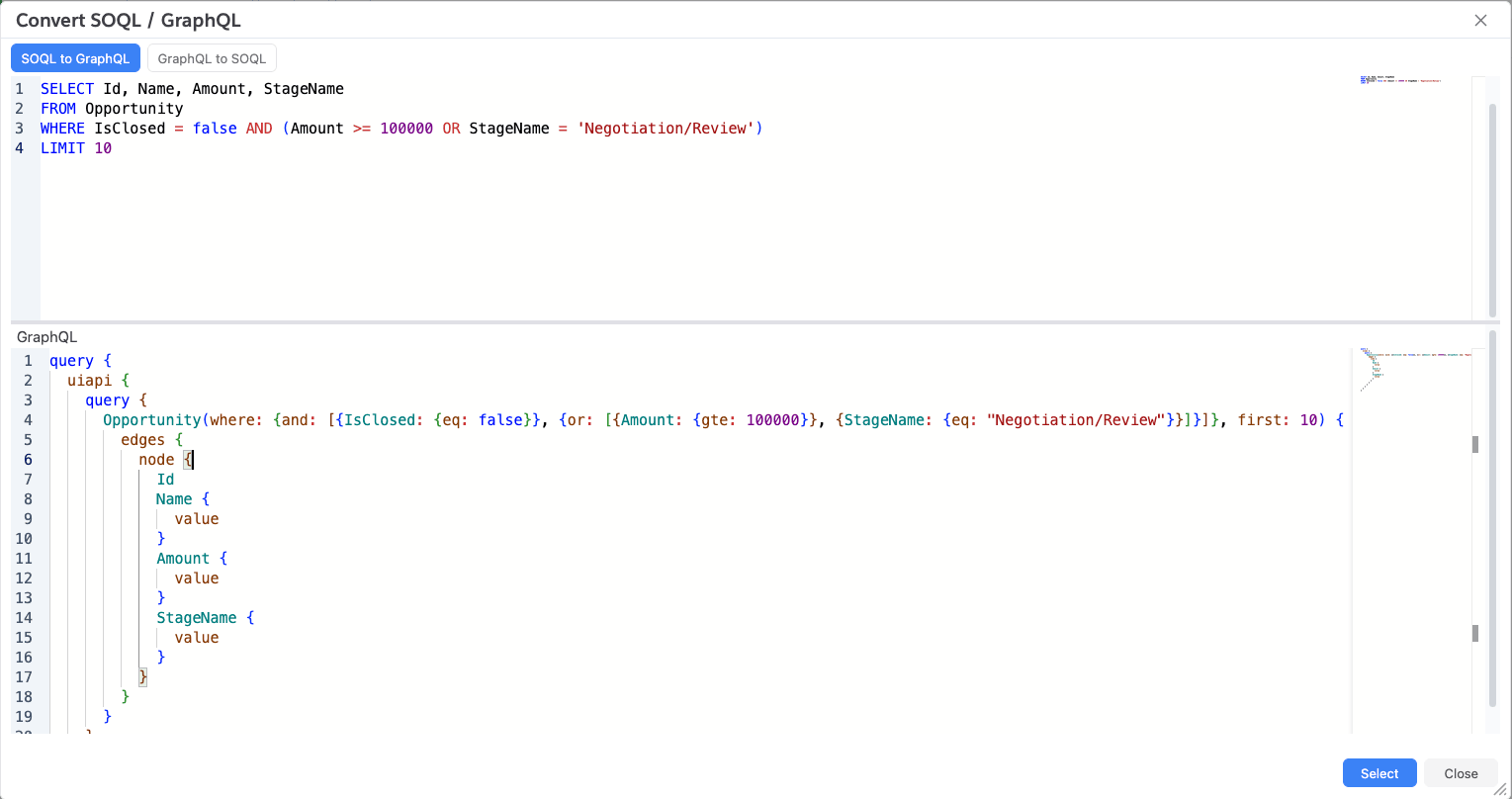
Select More Actions (...) -> SOQL to GraphQL or More Actions (...) -> GraphQL to SOQL to open the converter. Enter a
query, review the converted result, and click Select to place the GraphQL result in the Query editor.
Request options
Select the edit button next to Send to configure authentication, request headers, query parameters, and GraphQL
extensions. You can use API variables such as {{$version}} and managed variables in these values, the query, and the
Variables JSON.
Important caveats
- GraphQL Explorer sends requests to the Salesforce GraphQL endpoint for the connected org, so supported objects, fields, operations, and permissions are determined by Salesforce and that connection.
- Queries and mutations can read or change Salesforce data; review mutations carefully before sending them.
- The Variables and GraphQL Extensions values must be valid JSON or the request will not run.
- Schema autocomplete is loaded from Salesforce when the explorer opens. It is unavailable if the org does not allow the schema request or the request fails.