Assignment Rules
The Assignment Rules tab shows all territory assignment rules defined in the selected model.
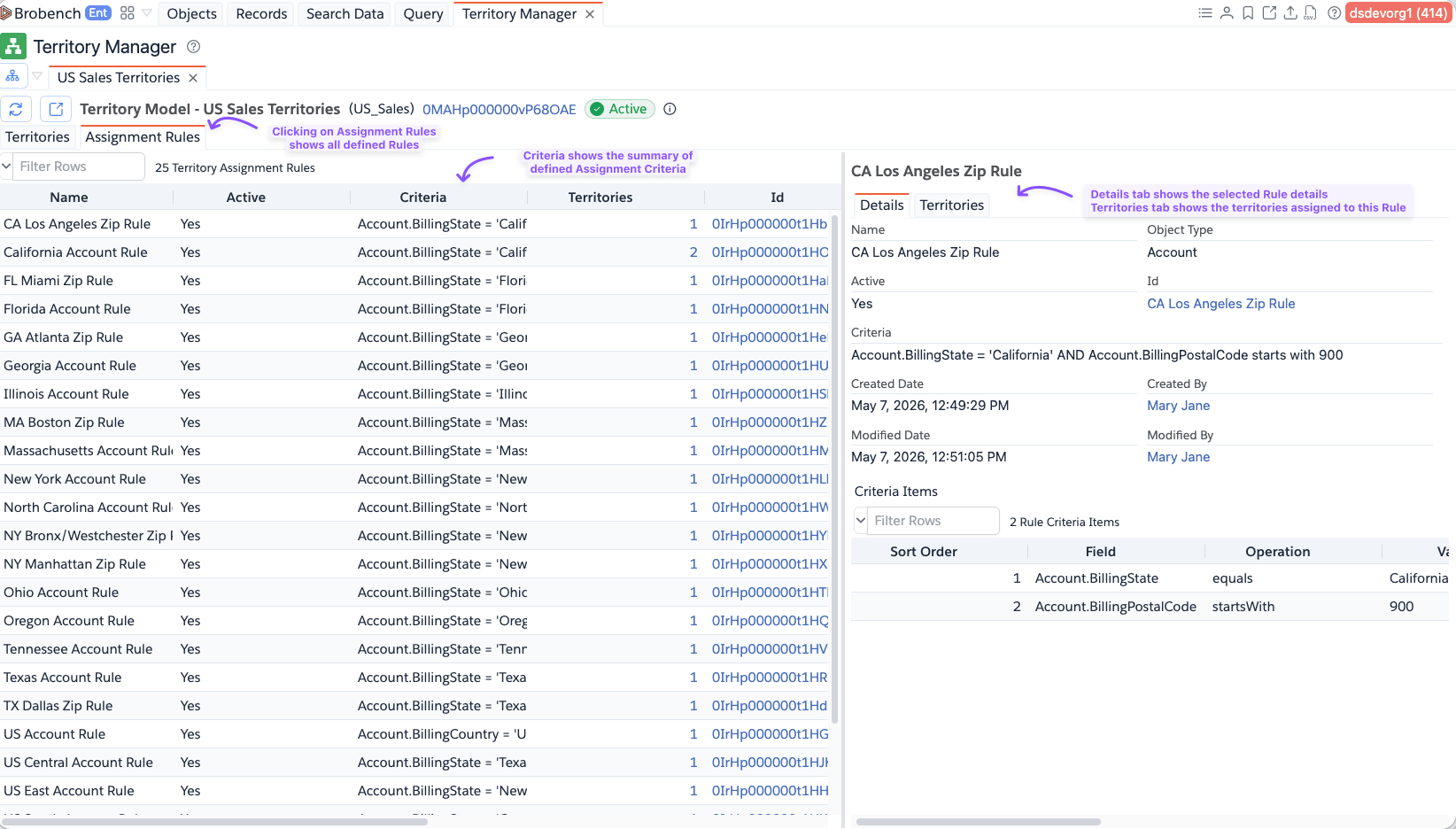
Rules List
The left panel lists every assignment rule with these columns:
| Column | Description |
|---|---|
| Name | Rule label (MasterLabel) |
| Active | Whether the rule is currently active |
| Criteria | The filter criteria string for the rule |
| Territories | Number of territories this rule is assigned to (click to jump to the Territories detail tab) |
| Id, Created Date, Created By, Modified Date, Modified By | Audit fields |
Click a rule to see its details in the right panel. Right-click a rule to open it directly in the Salesforce UI.
Rule Detail Panel
The right panel shows details for the selected rule across two tabs.
Details Tab
Displays the full rule record fields including name, developer name, active status, criteria, description, and audit information.
Territories Tab
Lists all territories that have this rule assigned. Clicking the Territories count in the rules list opens this tab directly.
Each row shows the territory name and its position in the hierarchy.
Assignment rules can only be assigned to or removed from territories when the territory model is in Active state. Use the Territory Hierarchy context menu to manage rule assignments per territory.