Editing Territory
Territory Manager has selective editing capabilities of various things related to Territories as outlined below.
Edit Territory
Right-click on any of the Territories and select Edit menu action. App opens the below dialog and allows you to edit
the Territory.

Move Territories
You can reorganize the hierarchy by dragging a territory row onto a new parent. To drag a territory, click on the drag-handle and hold. Then drag it to new parent and drop. The app will ask you to confirm the move before making any changes.
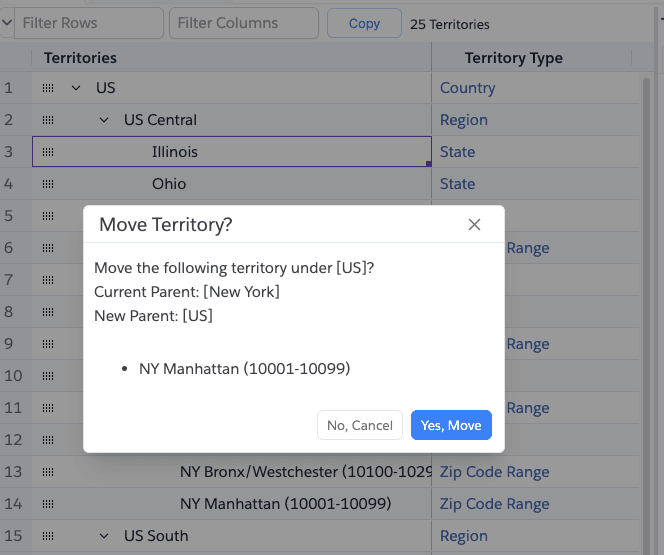
- You cannot drop a territory onto itself.
- You cannot drop a territory onto one of its own descendants.
- Moving a territory updates the
ParentTerritory2Idfield in Salesforce.
Assign/Unassign Rules
You can invoke this action from right-click context menu or from the Assigned Rules tab in Territory Details panel.
When click on it, it shows the below dialog.
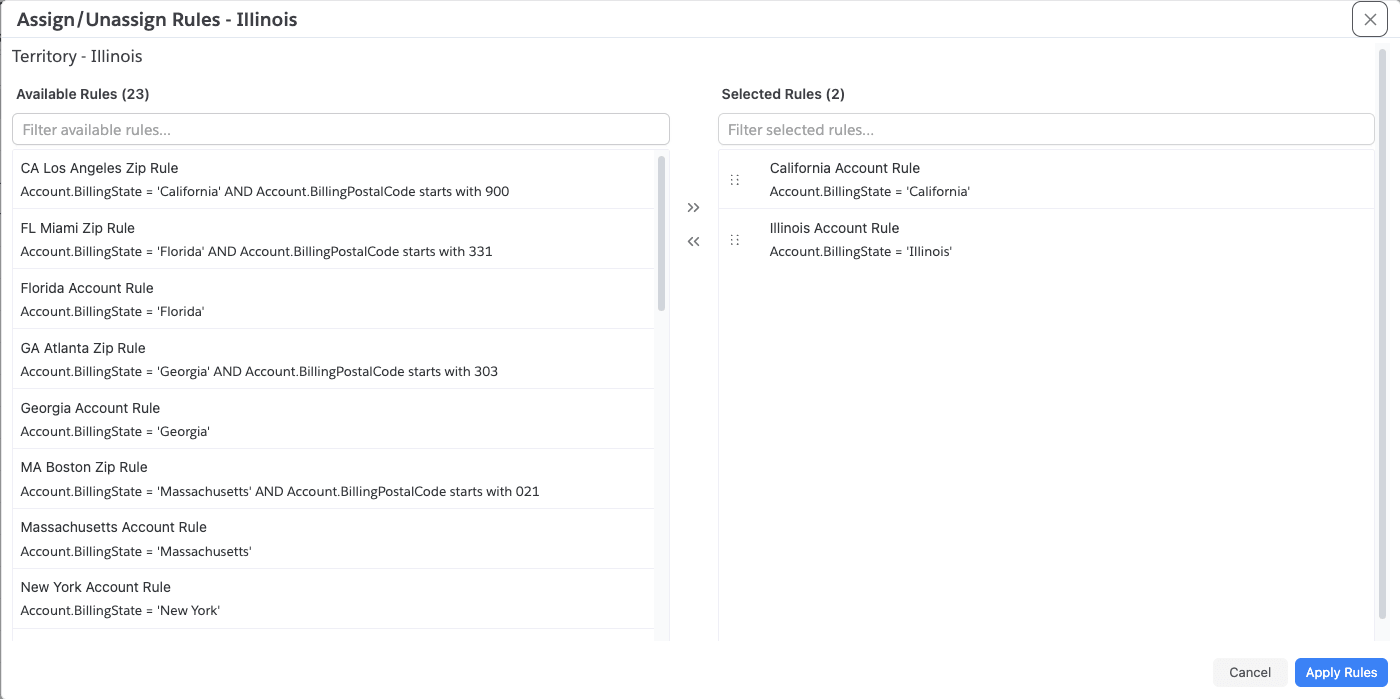
The dialog shows all assignment rules available in the model on the left and the rules currently assigned to the territory on the right. Move rules between the two lists to add or remove assignments, then click Save Changes.
Assign/Unassign Accounts
You can invoke this action from right-click context menu or from the Accounts tab in Territory Details panel.
When click on it, it shows the below dialog.
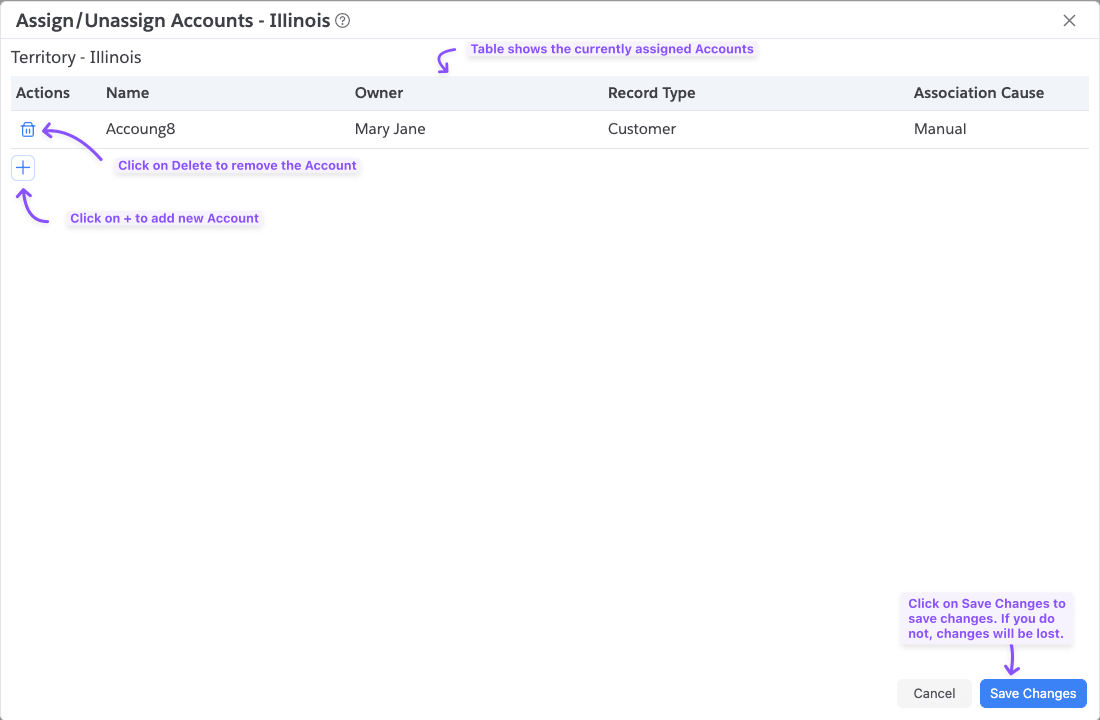
The dialog shows the accounts currently assigned manually to this territory. Use the search button to find and add more accounts, or select existing rows and remove them. Click Save Changes to apply changes.
Only accounts with AssociationCause = Manual are shown in the Assign/Unassign Accounts dialog. Accounts assigned
via rules are visible in the Territory Details accounts tab but cannot be removed manually.
Assign/Unassign Excluded Accounts
Similar to Assign/Unassign Accounts, you can also manage Excluded Accounts from this tab. Interface is same as Accounts one.
Assign/Unassign Users
You can invoke this action from right-click context menu or from the Users tab in Territory Details panel.
When click on it, it shows the dialog. The UI interface is same as Manage Accounts.