Formula Spy
Formula Spy helps you understand why a Salesforce formula field returns a particular value. It shows the formula, the fields it references, the current input values, the evaluated result, and the calculation steps.
Use it to troubleshoot unexpected formula values, test a change with different inputs, or quickly understand an unfamiliar formula field.

How to Open
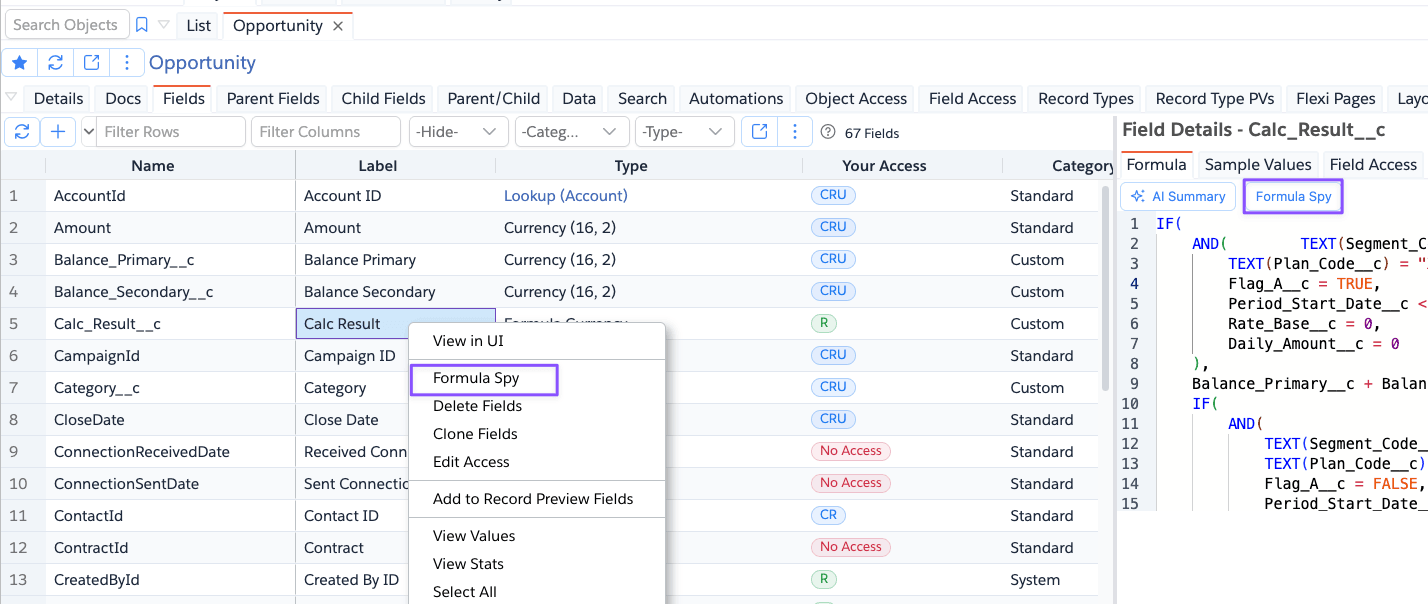
Open an object, select the Fields tab, select one formula field, right-click and choose Formula Spy. Or you can
also click on the Formula Spy button from the Formula Details tab.
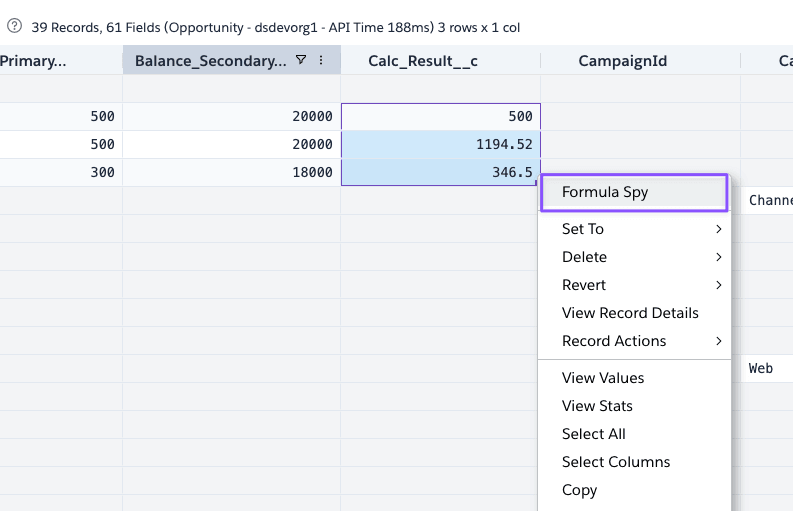
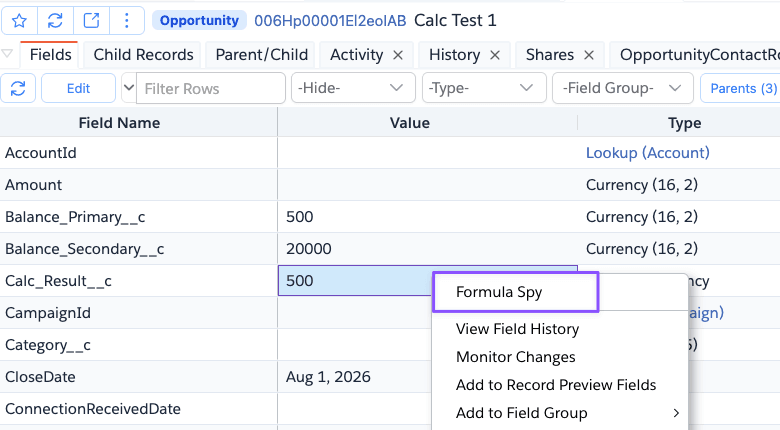
You can also open Formula Spy from a formula field in Record Details or Record Edit, or by right-clicking a formula column in Query results.
Use Formula Spy
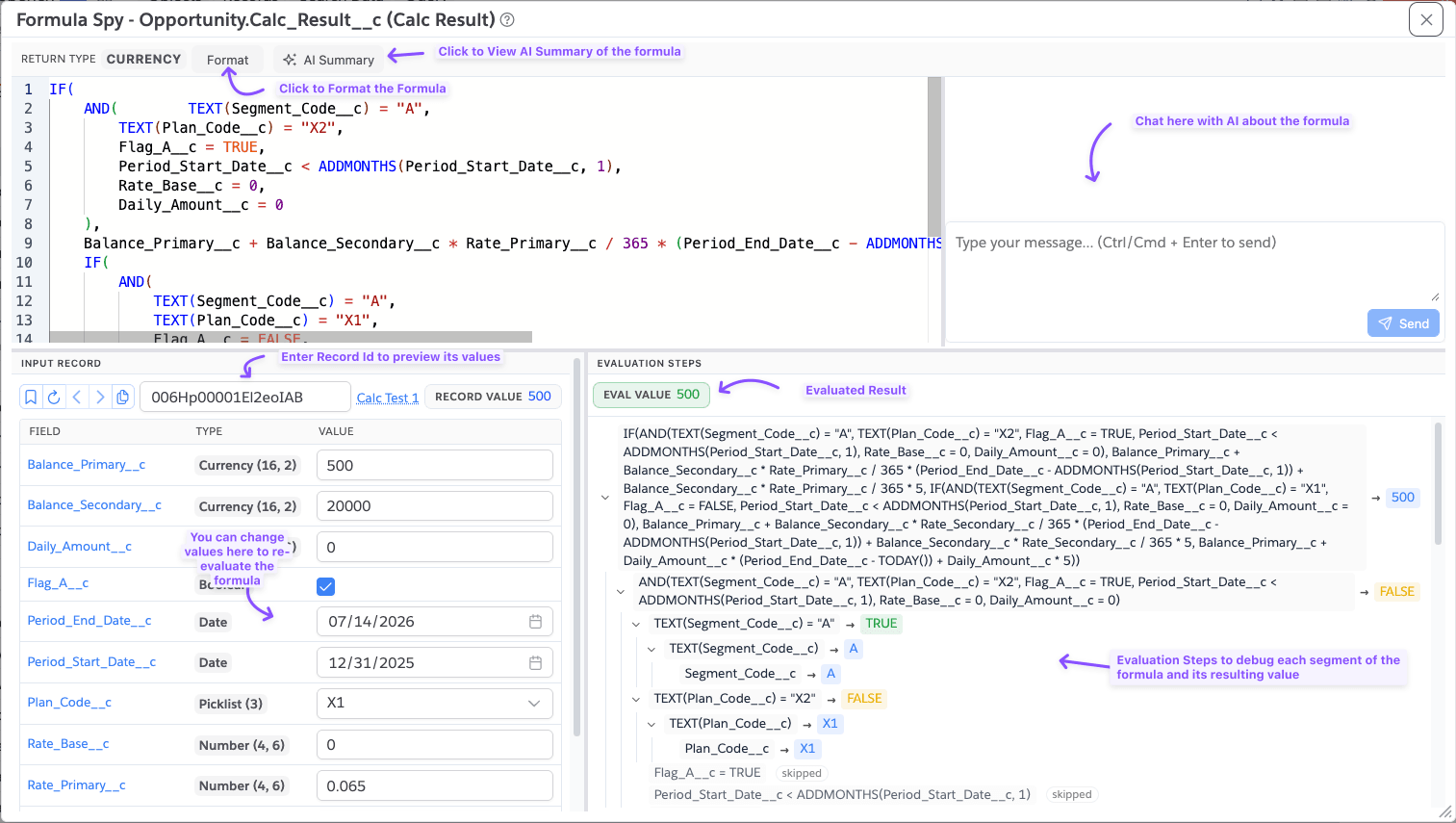
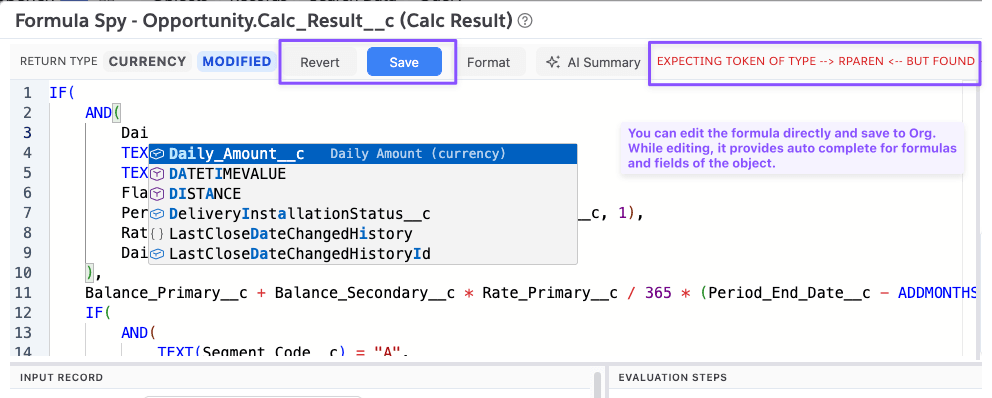
- Review the formula in the upper pane. Use Format to make it easier to read.
- Enter a record ID and click Load record to populate the referenced field values from that record, or enter values directly in the Input Record table.
- Change any input value to test a scenario.
- Review Eval Value and expand Evaluation Steps to see how Formula Spy calculated the result.
Formula editing
You can edit the formula to test changes before applying them. Revert returns the editor to the saved formula. For custom formula fields, Save updates the field directly in the connected Salesforce org after confirmation.
Record navigation and inputs
Use the recent and favorite records menu to select a record, and the previous/next buttons to move through record IDs opened in the session. Use the copy button to copy the current input values as JSON.
Formula Spy recognizes fields referenced by the formula and uses appropriate inputs for checkboxes, picklists, dates, date-times, and numeric values. Active picklist values are offered as choices, but you can type another value when needed for testing.
AI assistance
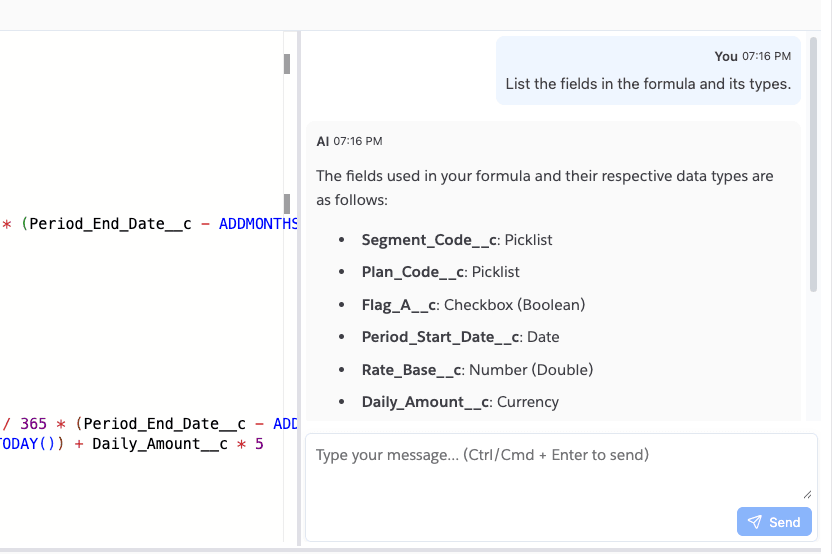
If AI features are enabled for your Brobench edition, select AI Summary to get a concise explanation of the formula. The AI chat panel can also help you create or debug formulas using the current object, field, and formula as context.
- Formula Spy is a troubleshooting and what-if tool; its evaluated value is calculated in Brobench and should be validated in Salesforce before relying on it for a production change.
- Not all formulas are supported, especially related to VF Page which injects scripts, etc.,
- Loading a record reads only the fields Formula Spy can query for the selected object. References that cannot be resolved are marked with a warning and may need a value entered manually.
- Blank numeric and text inputs are treated as null; blank checkbox inputs are treated as false.
- Changing an input value does not update the Salesforce record.
- Save is available only for custom formula fields and changes the formula in the connected org. Saving does not update the currently loaded record.