SOQL Chain Query
Salesforce has the Sub-Query feature where you can feed list of ids from one of the query into the parent query. This is a powerful that allows you to query but it comes with a lot of limitations.
- You cannot select non-Id field in the sub-query/parent query
- You can’t use parent reference Id field in the sub-query/parent query
- You can’t use subquery with many objects like Task/Event
- You can’t use more than 1 level of sub-query
SOQL Chain feature of Brobench solves all of these problems and provides a much more capable approach where you can query data from any query into another query, to any level.
SOQL Chain Query syntax looks like this.
<soql query>
  chain
<soql query with variables>
  chain
<soql query with variables>
...
For example:
select WhatId from Task where CreatedDate >= last_n_days:30
  chain
select Id, Name from Account where Id in (:whatId)
  chain
select Id, Name from Opportunity where AccountId in (:id)
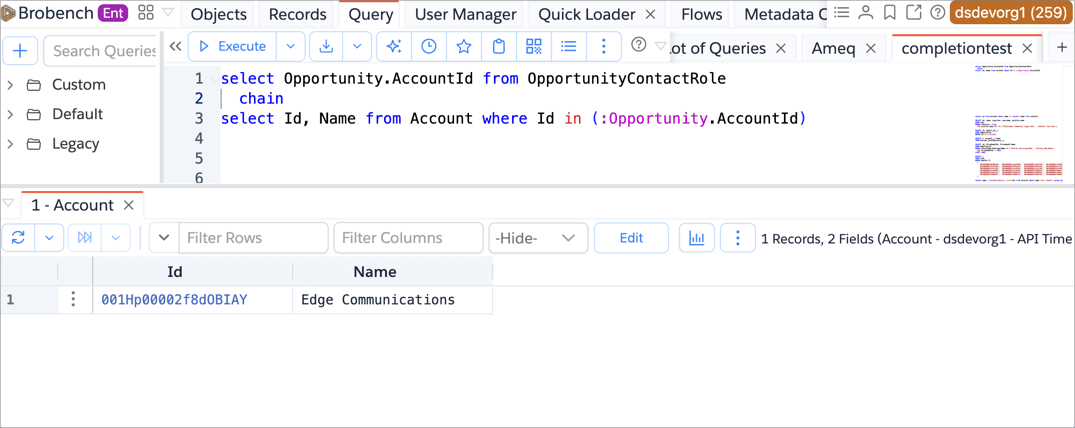
How it works
When you execute a SOQL Chain query, the app does the following.
- Takes the first soql and prompts you for any variable, except for standard variables.
- Runs the first query, creates a batch of 250 records, creates variables for all fields selected in the query
- Feeds the variables into the next query and executes the query. It repeats this till it processes all batches from the previous query
- The result of the final query is shown in the Query Grid
- Each of the queries uses Batch API since we create a new SOQL for with 250 records each from the previous query, executing Bulk API can be inefficient.
- Once the results are shown, you can perform operations as usual as export or bulk edit
- You can use Brobench Formula Fields in the final query as usual
- If you refer a variable but if that field is not selected in the previous query, query will result in an error
Keep in Mind
While SOQL chain is powerful, it does have come constraints.
- As of now, we’ve limited the intermediate SOQL Queries to maximum 50K records. If it fetches more than 50k, then it’ll error out. This is to ensure that you don't build a runaway process by mistake.
- There’s no limit on how many records the final query can match, so it can match 100k or 1m records
- We use batch API to run the queries