Query Execution
Once you author the query and you want to execute it, click on the Execute button.
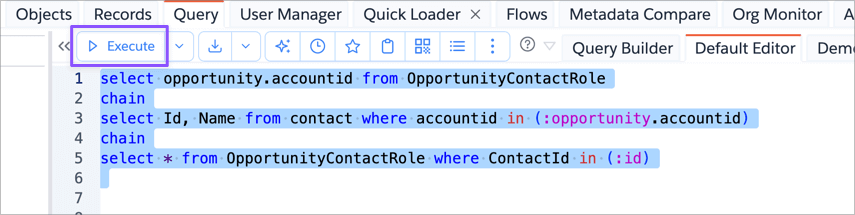
App will run the Query and shows the results in the bottom results panel.
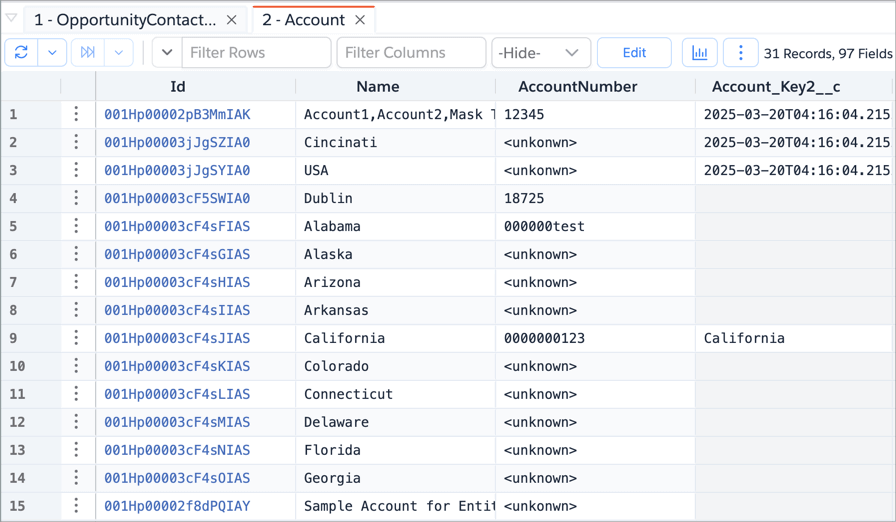
You can also use shortcut Ctrl + Enter or Cmd + Enter to execute a query when you are focused in the editor.
Query Text Selection
When you Execute, app will use the text you have selected in the editor. If you haven't selected, then it tries to identify the query using the paragraph around the current cursor position, bounded by blank line.
If you have no blank lines in between your SOQL Query, it should work fine. If you have any blank lines, then you would have to select the text to execute.
Query Execution Modes
When you Execute a query, it runs in default mode. But you can alter how the query is executed. For ex., you can run the Query to include Deleted/Archived records or to do Split Select Fields query etc.,
Typically, those alternate modes are selected by clicking on the Dropdown icon next to the Execute button and selecting one of the options or by clicking on the dedicated toolbar icon.
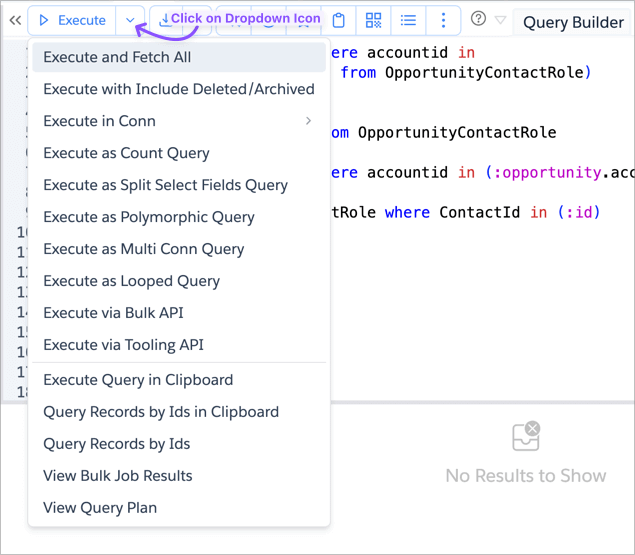
These modes are documented in separate help pages. Explore the help pages from the sidebar.