Field Details
In the Fields tab, app shows a right-side panel which shows more details for selected field in the left fields list. This details panel shows various tabs depending on the field type.
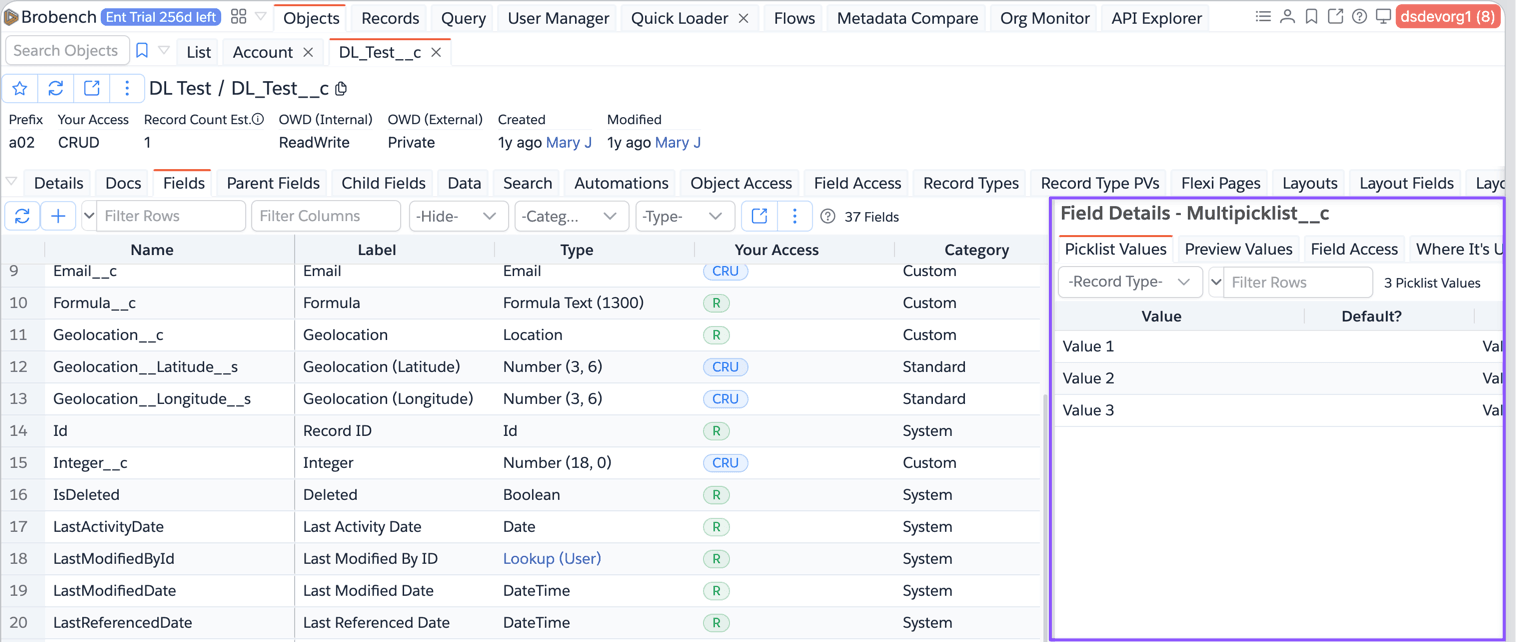
Here are the various tabs that are shown.
- Picklist Values: Shows the picklist values for selected field
- Formula: Shows the formula of selected field.
- Rollup Formula: Shows the rollup details of the field
- Lookup Filter: Shows the lookup filter details
- Preview Values: Shows sample values of selected field.
- Field Access: Shows the current access of selected field
- Where it's Used: Show the field dependency