Preview Picklists
This feature allows you to preview the Picklists in an Object in bulk, including the ability to preview all Picklists, including their Picklist dependencies and Record Type dependency.
You can access this by clicking on the Preview Picklists in More Actions menu in the Fields list page.
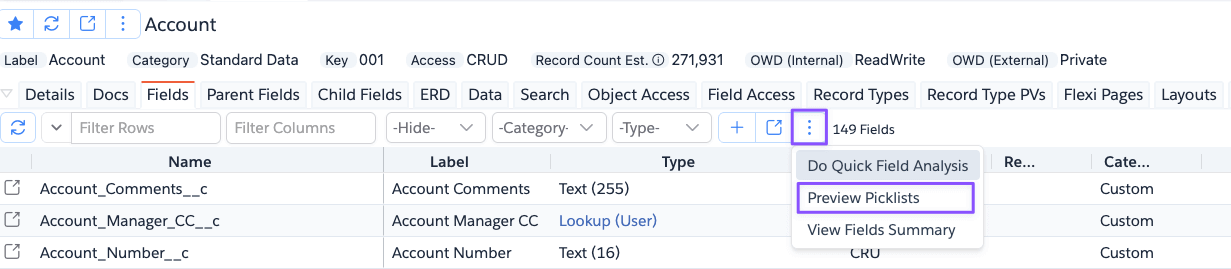
Then the app shows the dialog below.
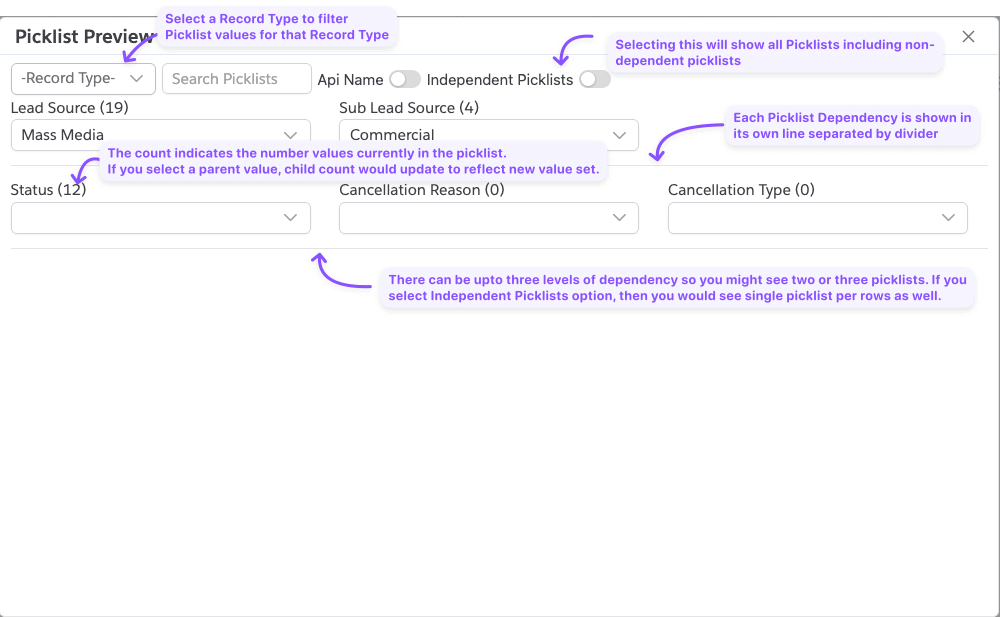
By default, the app shows all picklists with dependencies. You can opt to show all picklists by clicking on the
Show All Picklists button, then the app will show all picklists including ones without dependencies.
Each of the Picklist dependencies is shown in its own row, which can show up to three Picklists with Parent-Child in Left-Right order. Select a Parent Picklist value to show the applicable values in the Child Picklist(s).
You can also select a Record Type to show only the values applicable to that Record Type.
You can use the Search Picklists search to search for specific Picklists. Note that it only searches the Picklist
names/labels and not its values.