Editor Context Menu
If you right-click in the editor, the Editor Context Menu is shown as below.
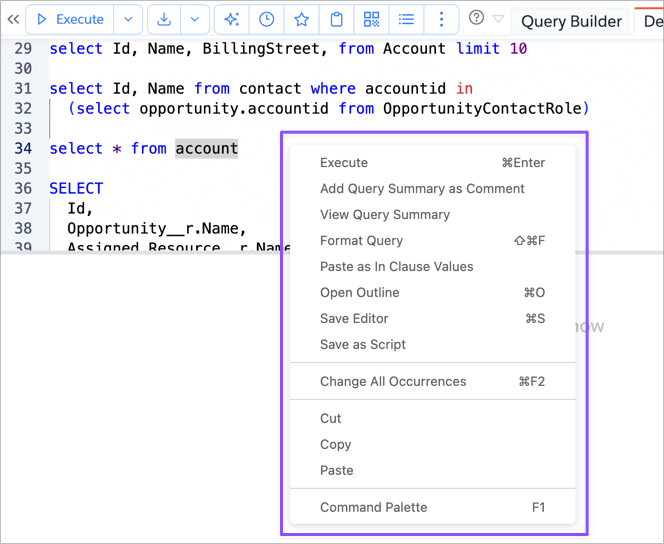
Most of the options in that menu are self-explanatory. Here are some explanations for few of those.
Query Summary
If you select a Query and select View Query Summary, then app will use the Brobench AI capability to create a summary
of the selected Query shows the dialog.
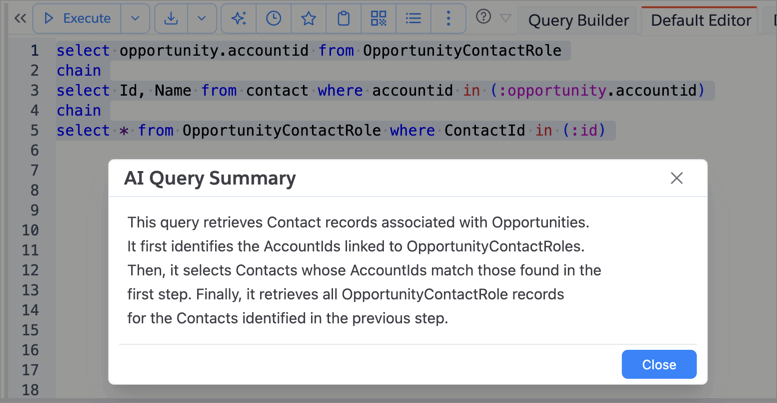
If you select Add Query Summary as Comment then it creates a summary and adds it as comment above the query.

Paste as In Clause Values
Let's say you copied a set of ids into the clipboard. Now you want to construct a SOQL to query by those Ids. It can be painful to manually add quotes and comma at end of each value. This feature does all that for you.
Place the cursor in between the () of the query. Right click and select Paste as In Clause Values
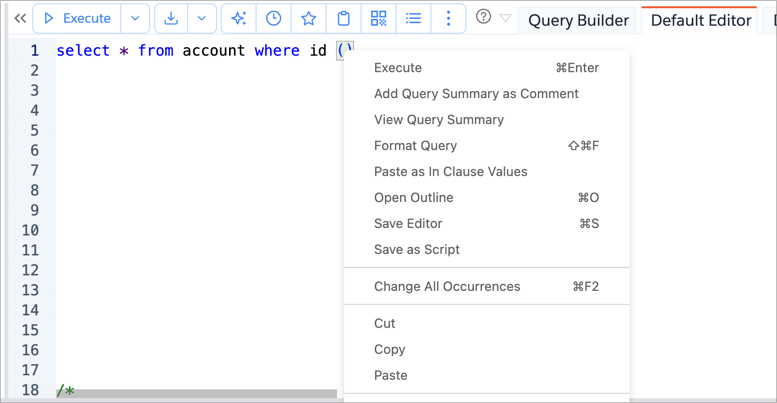
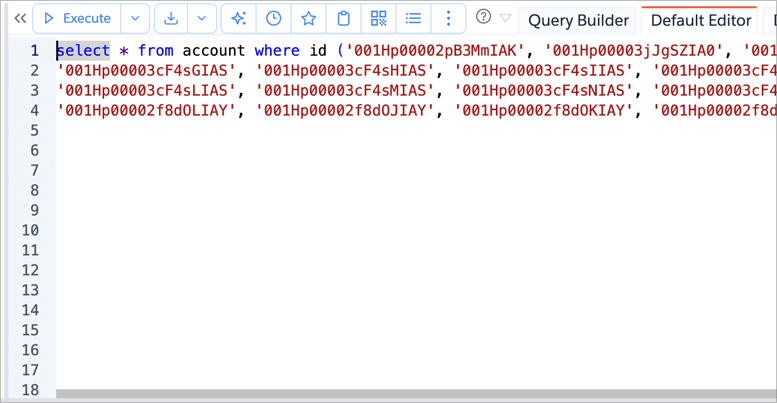
It will take the values, adds a single quote, comma and splits into multiple lines with 5 values in each line and pastes the resulting string.