Query History
Each time you execute a query, it will save the query in the Query History so you can recall them later. While Query Editor saves all queries, it can be a lot quicker to just recall from History.
To open the history, click on the Clock icon in the toolbar. It will show a panel with the latest executed queries listed
first.
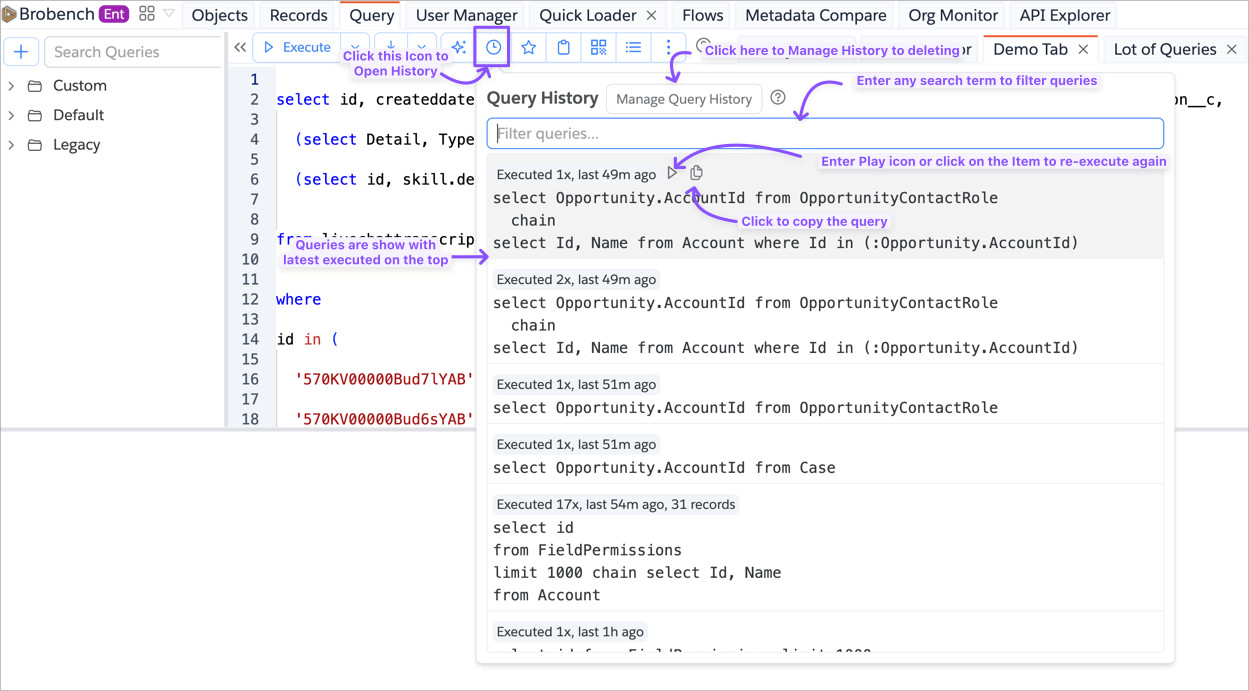
You can enter any search term to filter the query. If you press the Enter key while in the Search Input box, it will
execute the first listed query.
Manage Query History
If you want to delete history or export the history, you can click on the Manage Query History button in the History
Panel, which shows the dialog below.
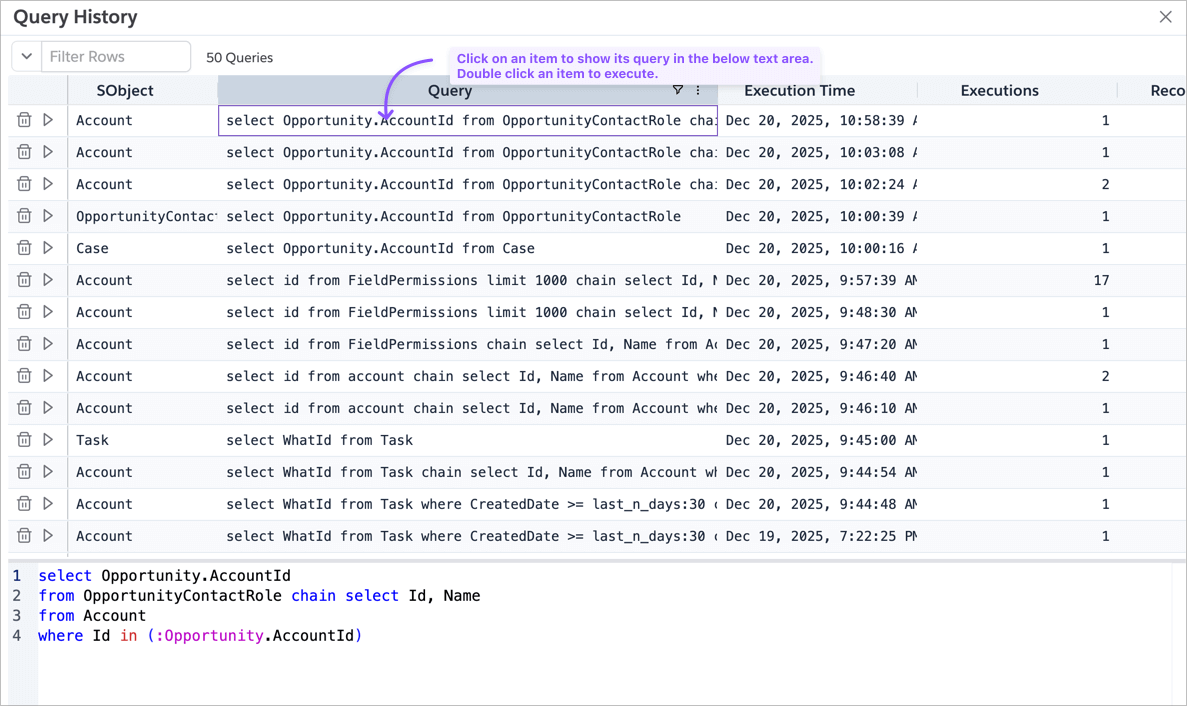
You can click on an item to view its query, sort columns to explore the history or double-click on an item or click on the Play icon to execute the query.
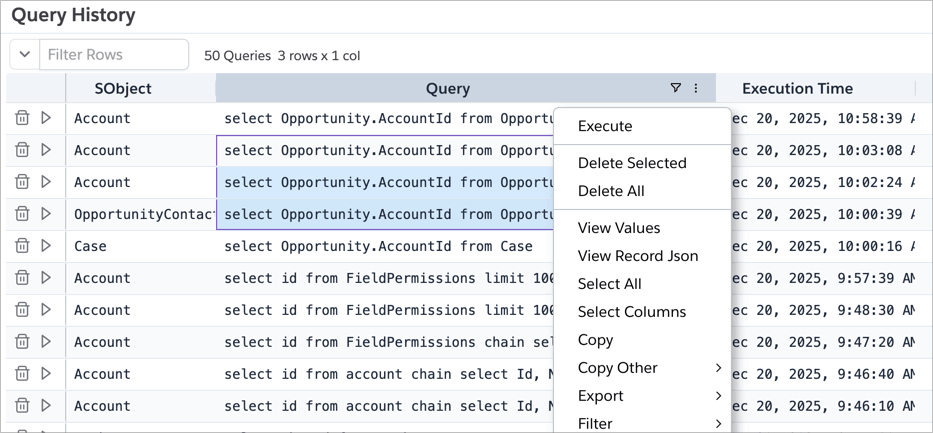
If you right-click the Data Grid, it shows the context menu with which you can delete multiple entries or export the data.