Editor Regions
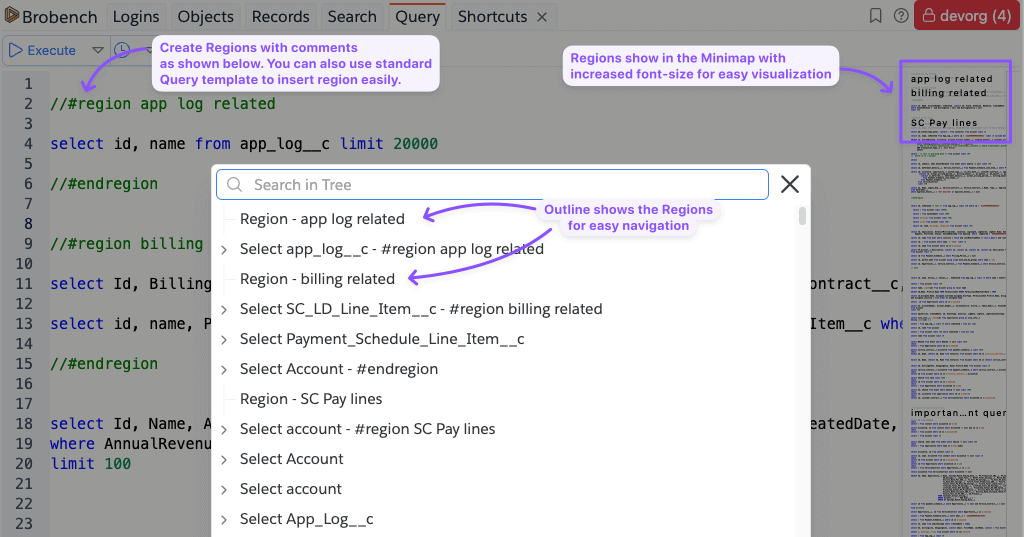
Brobench uses a single Query editor with auto-save feature so you don't have to switch between multiple editors. However, this can lead to a lot of queries in single view and can be overwhelming to navigate. To facilitate identifying area of editor with friendly name, Query Editor supports Editor Regions.
An editor region is block of code separated between // #region <optional name> and // #endregion. As you can see,
it’s just a convention on top of single line comments feature.
Regions add the following capabilities
- You can fold a region to collapse its contents so reduce the visible contents
- Regions show up in the editor minimap on the right side with increased font-size
- They also show up in Query Outline view for listing all regions and search for one
Here’s an example of how regions can be defined and how they show up in Minimap and Query Outline.