Query Comments
While editing Queries, you can include query comments. Editor supports both single-line and multi-line comments.
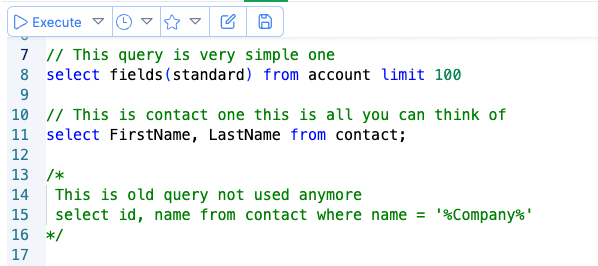
Single Line Comments
Single-line comment starts with // and any chars that comes after that prefix, till end of that line is considered
part of the comment.
select Id //, Name
from Account
executes as select Id from Account
You can use shortcut Cmd + / or Ctrl + / to toggle the single line comment of current line
Multi Line Comments
Multiline comments starts with /* and ends with */. Anything in between is considered as comment.
For example.,
/*
 * This query retrieves the ID, Name, and Billing Street address for the first 10 Account records in the system.
 * It selects these specific fields from the Account object without applying any filters or sorting.
 */
select Id, Name, BillingStreet, from Account limit 10